PROBLEM
I discovered that people (especially young professionals) had difficulty finding time to cook healthy meals. The resulting prototype is an initial hypothesis of how I hope to solve the problem.
SOLUTION
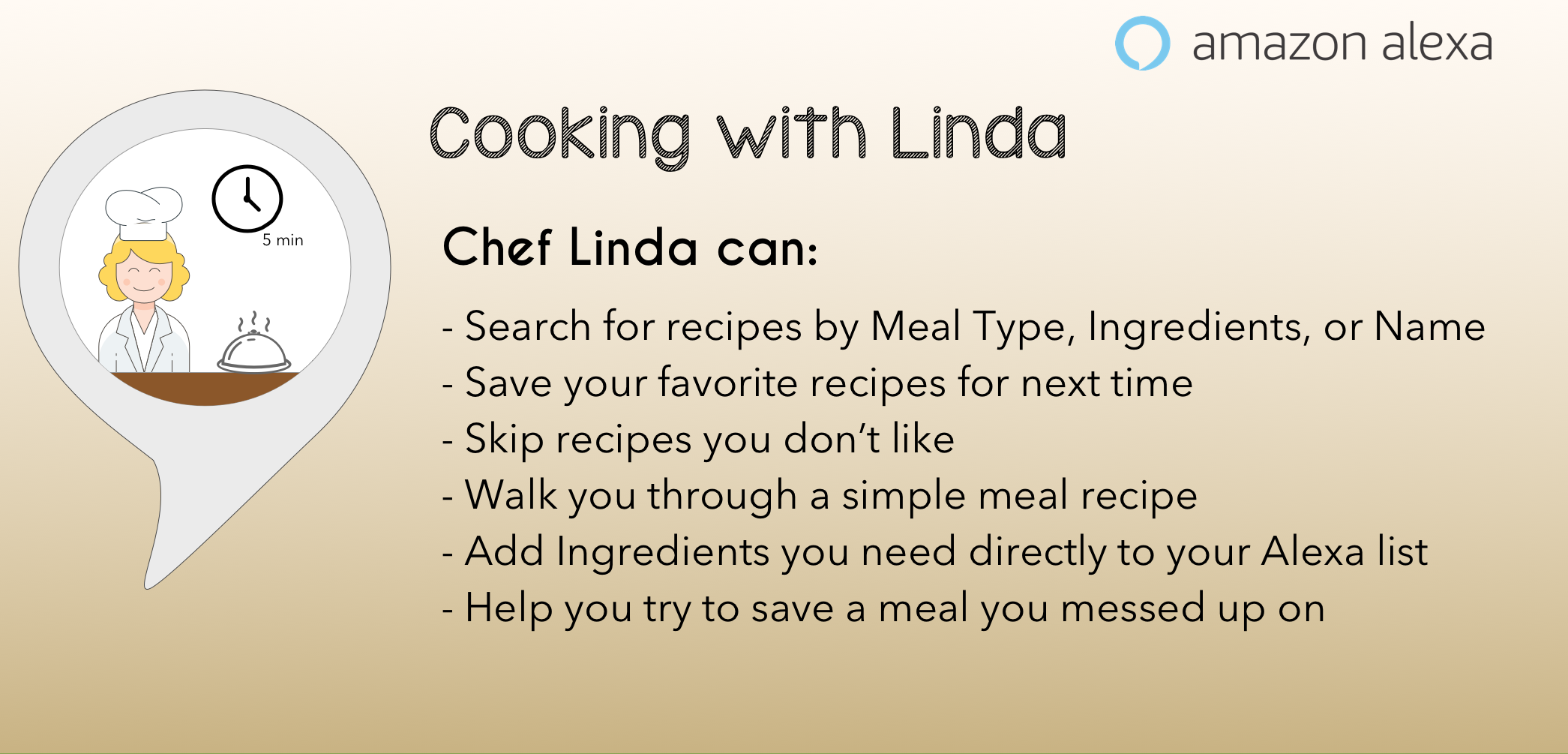
The Cooking with Linda (Alexa skill) was designed to walk users through delicious quick and easy 5 minute recipes.
Click to enlarge
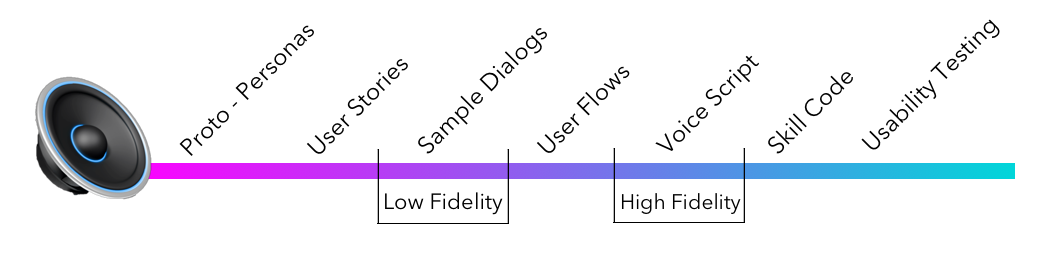
After distilling the competitive research and
understanding my persona's needs, motivations,
and daily activities, I created user stories to
identify key features of the skill. Next, I went
on to craft the low-fidelity dialogs
(Sample Dialogs) followed by high fidelity
dialogs (Voice Script). I then put my dialogs
through usability testing to uncover areas that
need improvements and areas that contribute to a
great experience.
Personas, User Stories, User Flows, Voice Script, Skill Code, Usability Test Plan, Usability Report
Proto-Personas
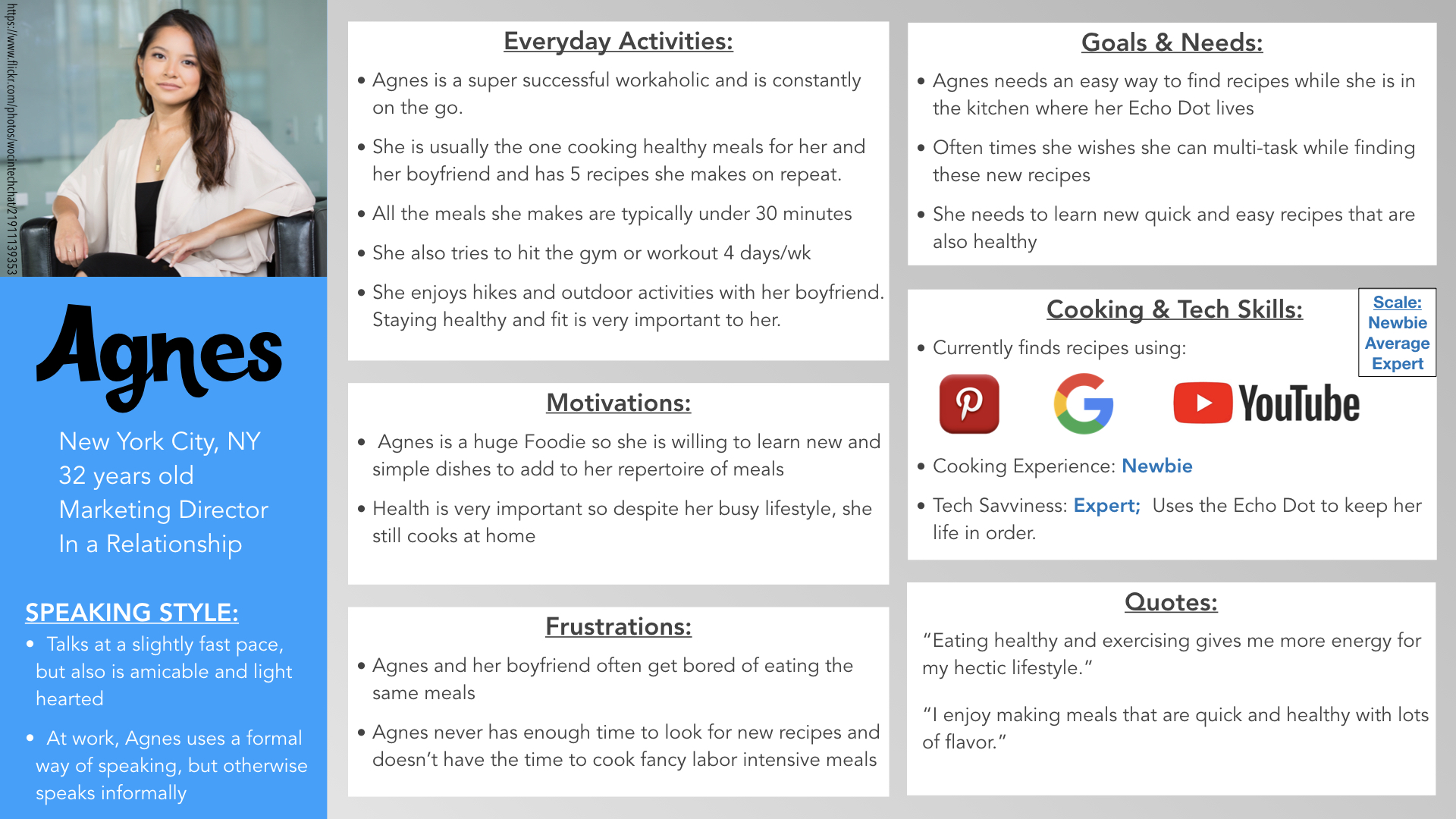
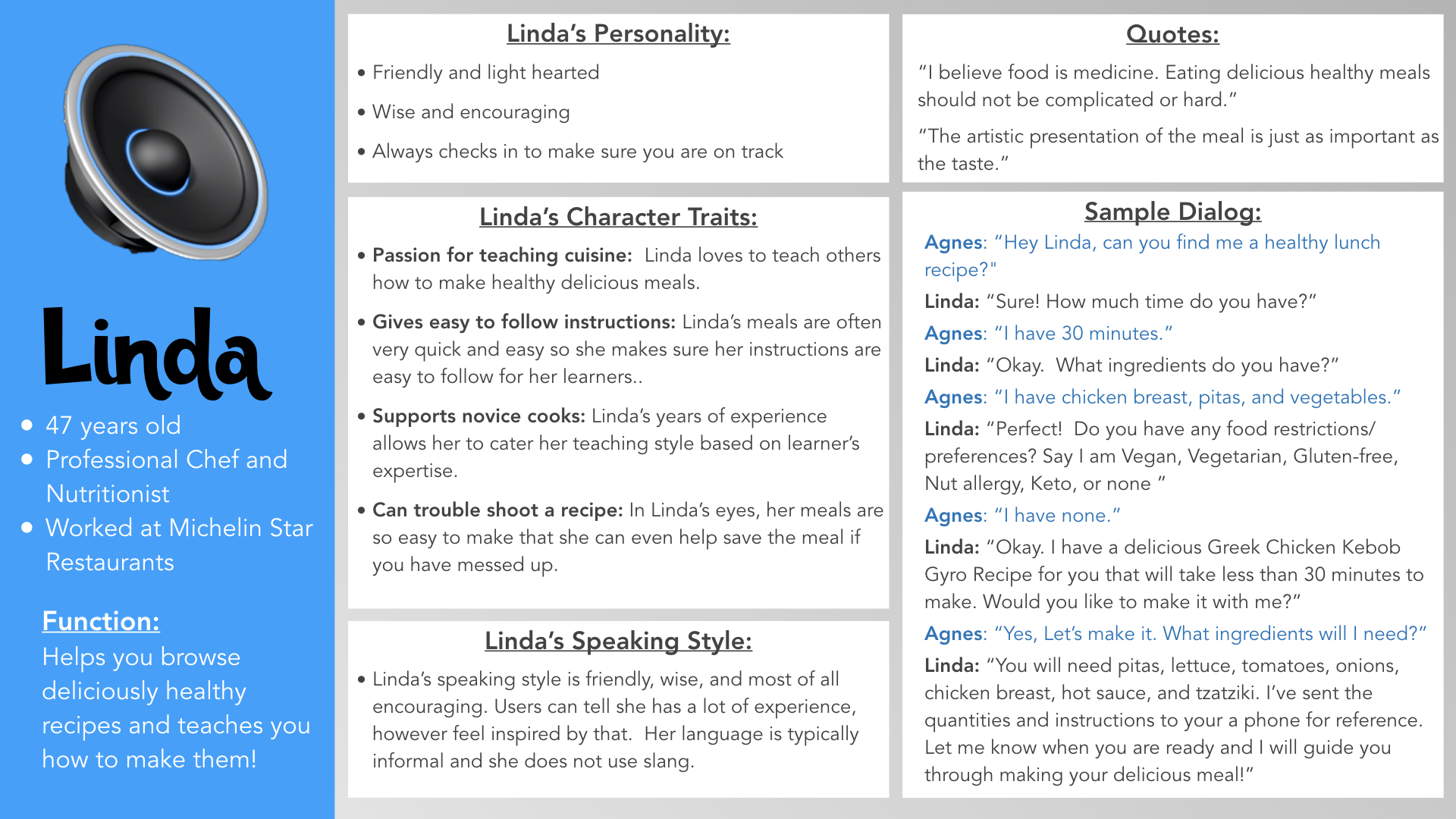
I began with the creation of a user persona, which allowed me to understand our user's needs, motivations better, and wants. When designing for voice, best practice is to make user personas for our users and our voice system. Creating a system persona allowed me to give my voice UI a personality of her own and a more realistic feel for my users.
Click to enlarge
Click to enlarge
Intents, Utterances, & Slots
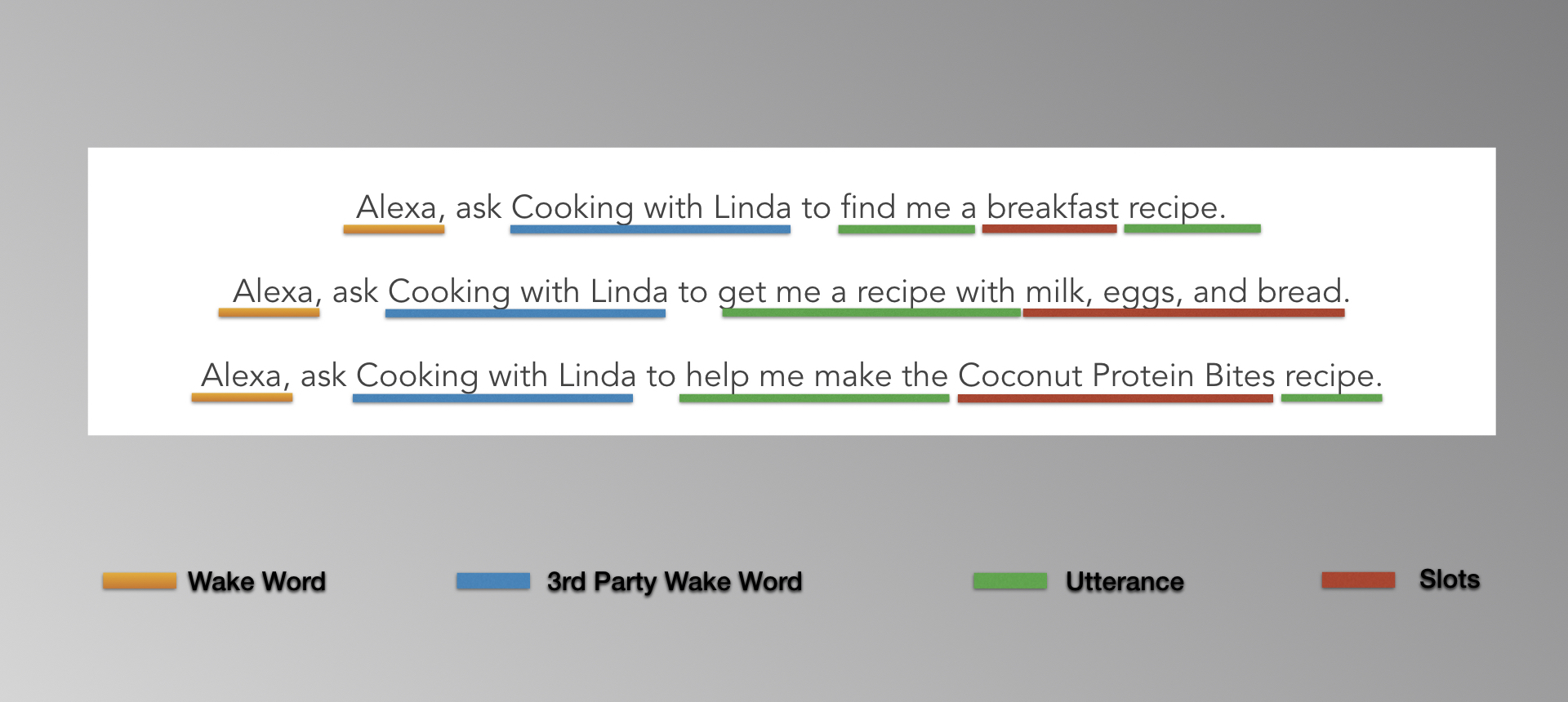
Being able to deconstruct a skill's anatomy helped me create better voice interactions. Identifying sample utterances, intents, and slots were crucial to building out the Alexa skill using A.S.K.
- INTENTS are things the skill can do for the user.
- UTTERANCES are what the user says to activate the intent.
- SLOTS are items you can use as part of your intent.
Below are examples of what users can say and how the utterances are dissected for the Cooking with Linda skill.
Click to enlarge
Low Fidelity: User Stories & Sample Dialogs
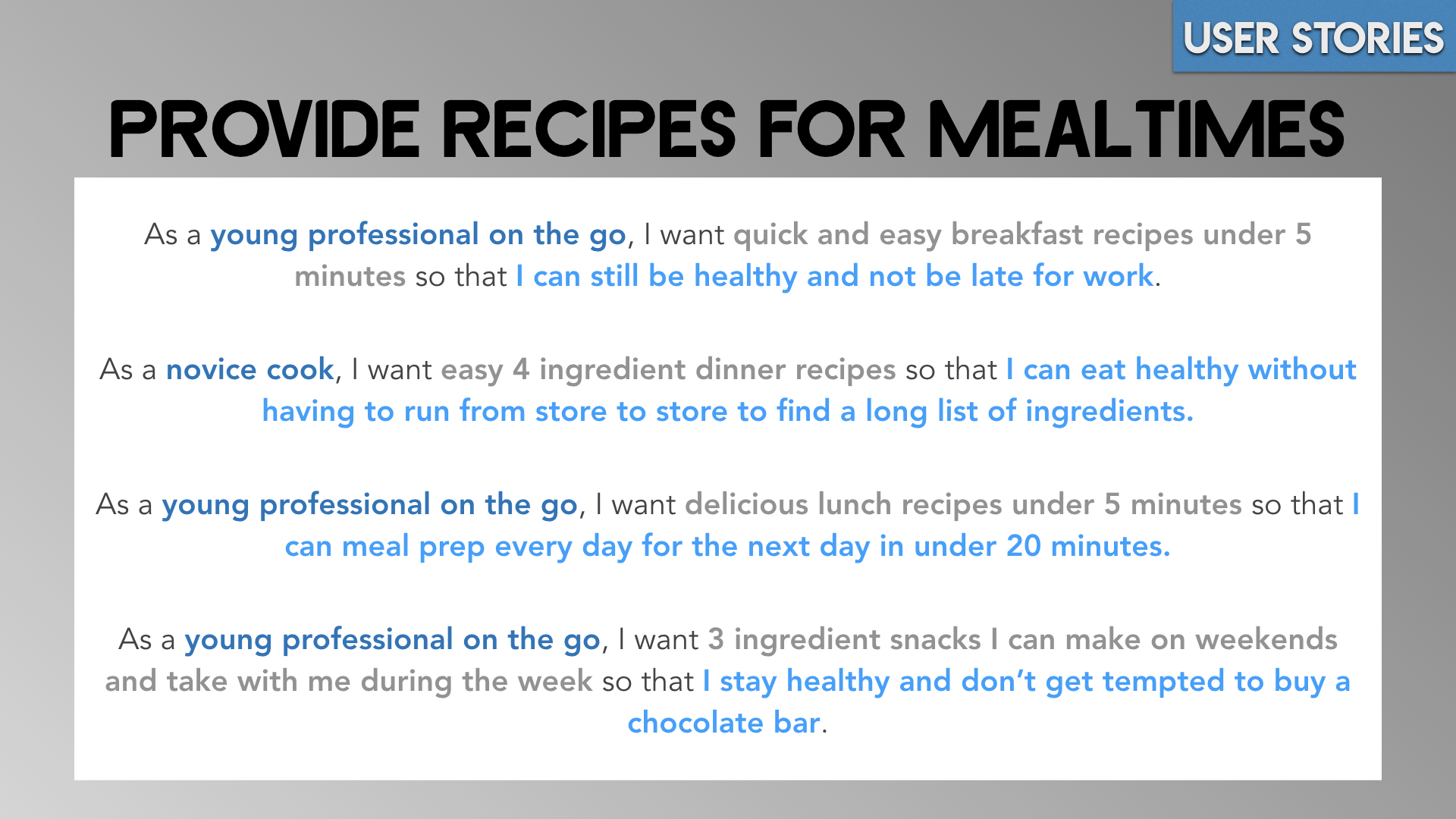
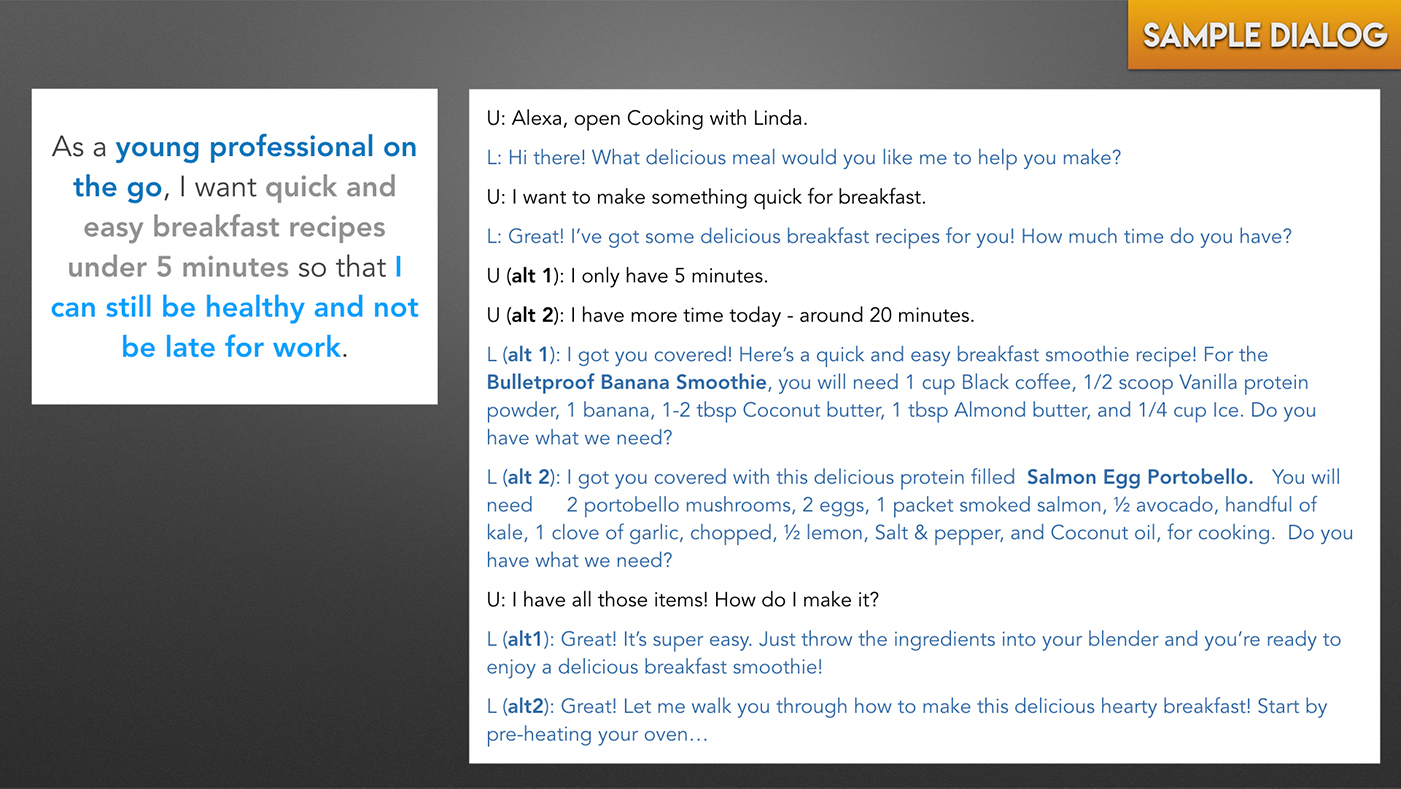
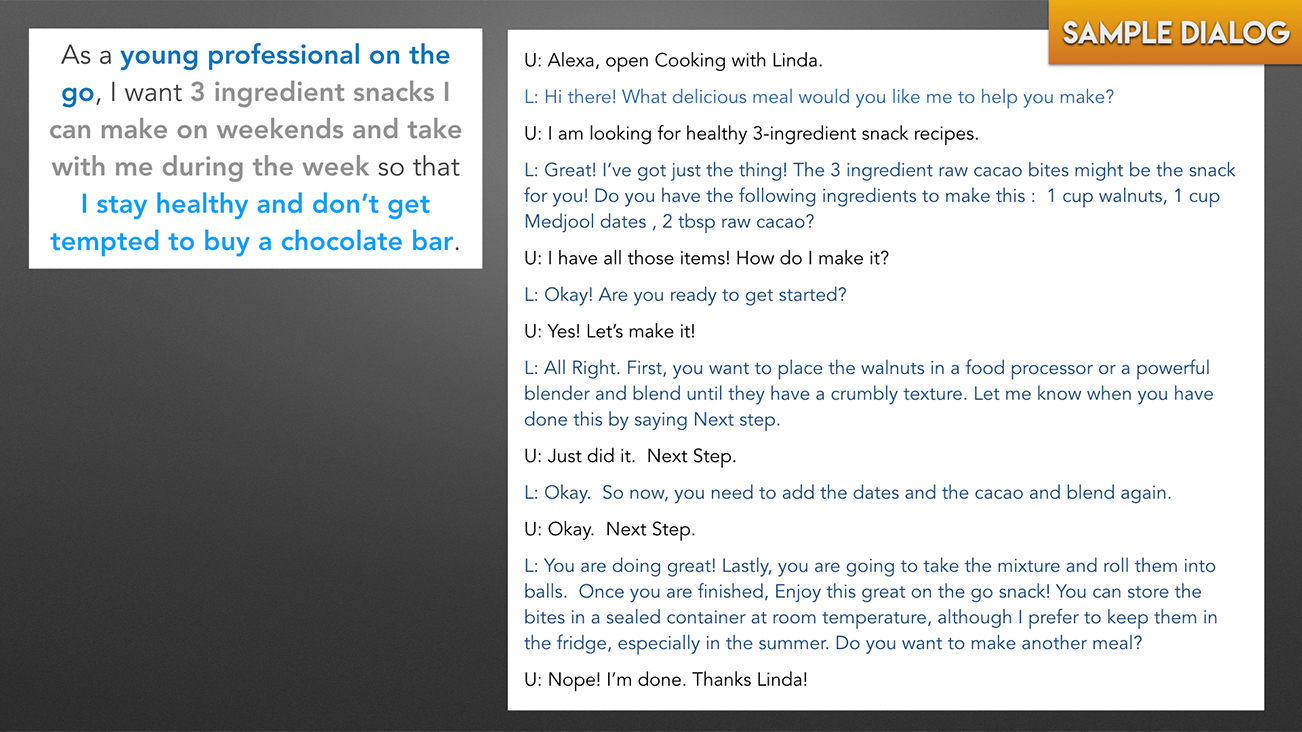
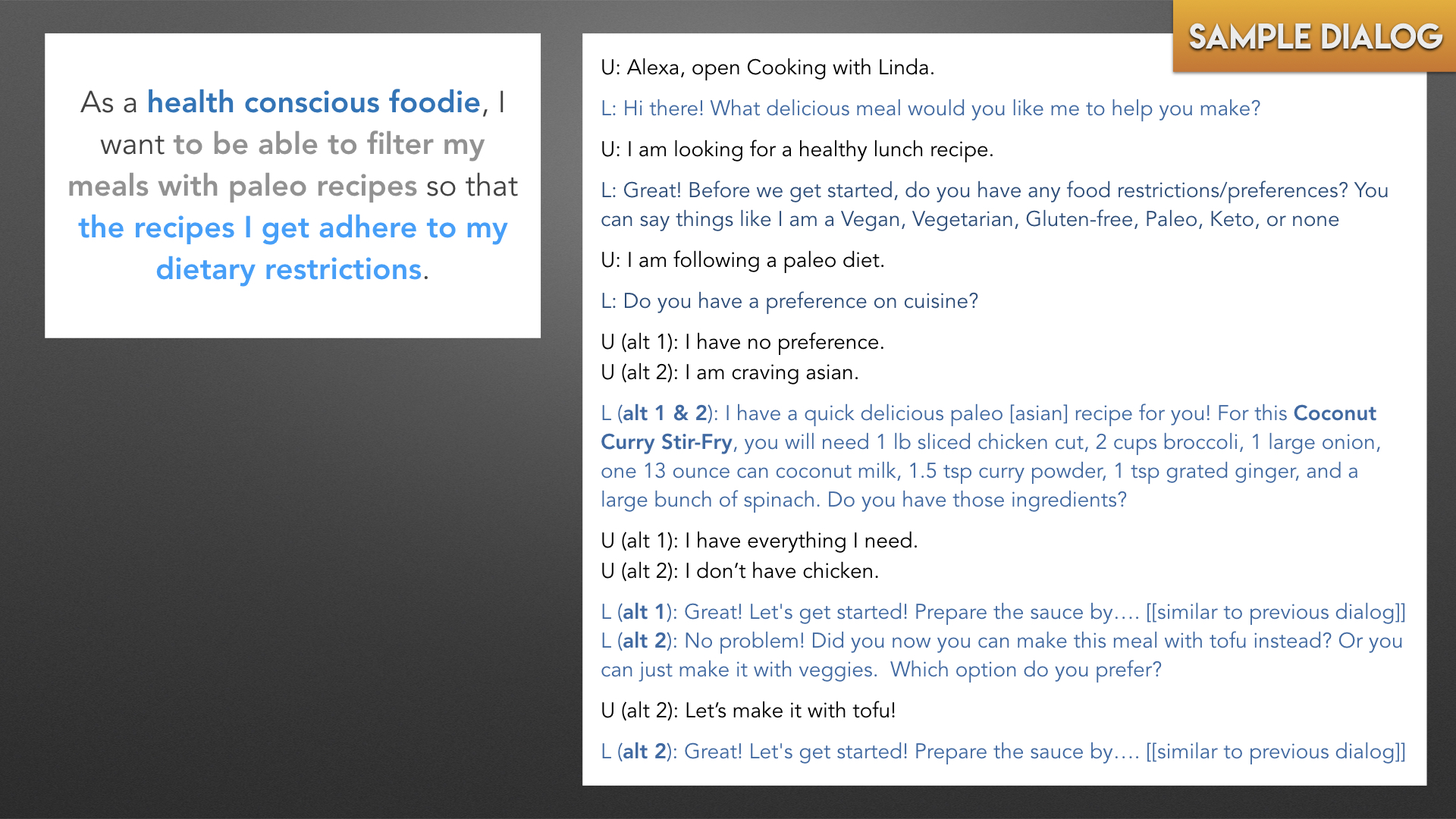
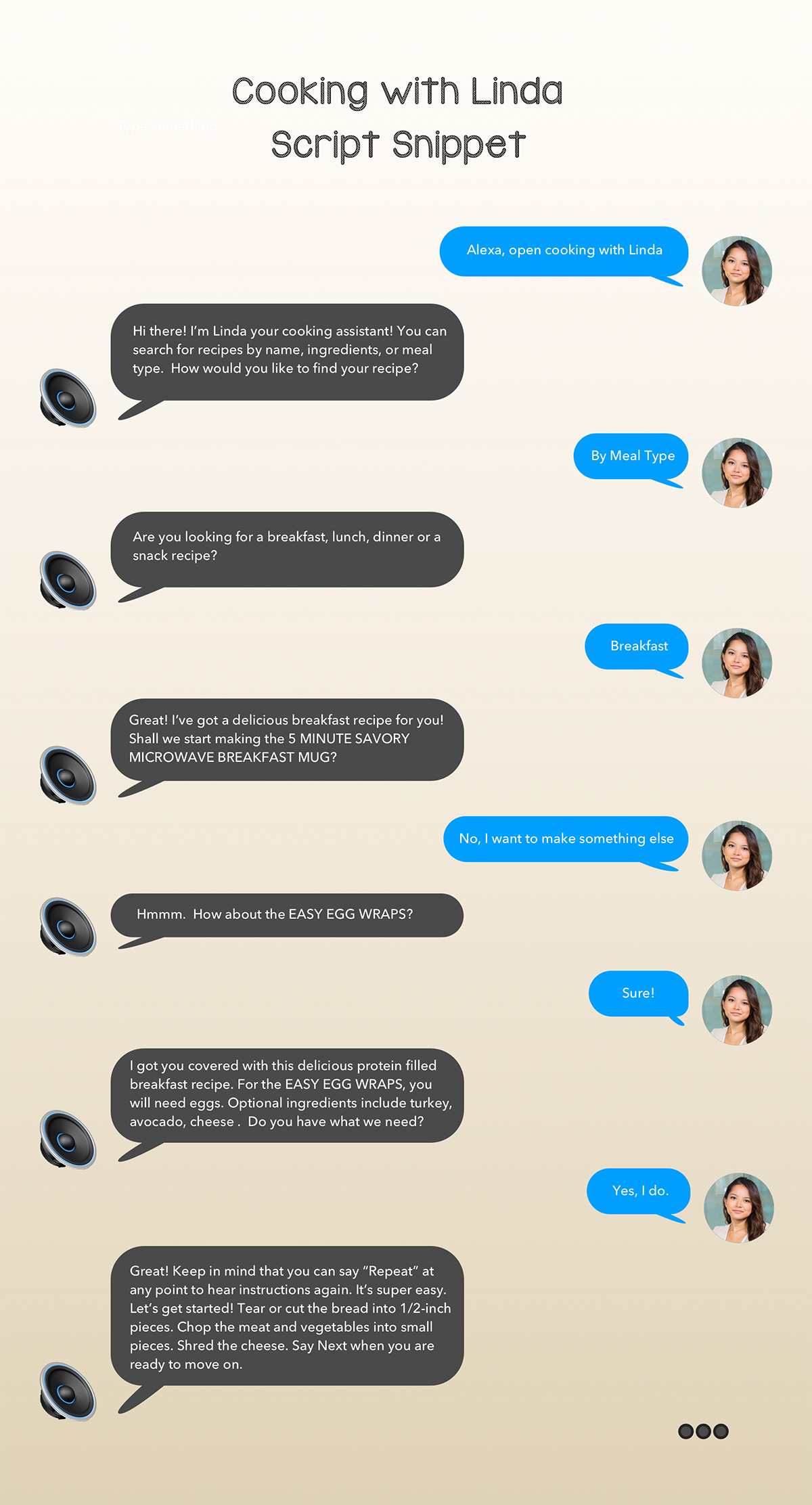
Creating user stories helped me analyze what tasks my users wanted to complete and what features users will find useful. To create the most optimal voice interaction, I had to consider the environment where my users would use the Alexa skill. Most often, the skill would be used in the kitchen. Sample Dialogs can be thought of as low-fidelity dialogs. They are the basics of the interaction and can be thought of as a snippet like a movie trailer. I picked out the most important user stories and created sample dialogs for them. This helped me jot down the critical interactions that our users will have.
Click to enlarge
Click to enlarge
Click to enlarge
Click to enlarge
User Flows
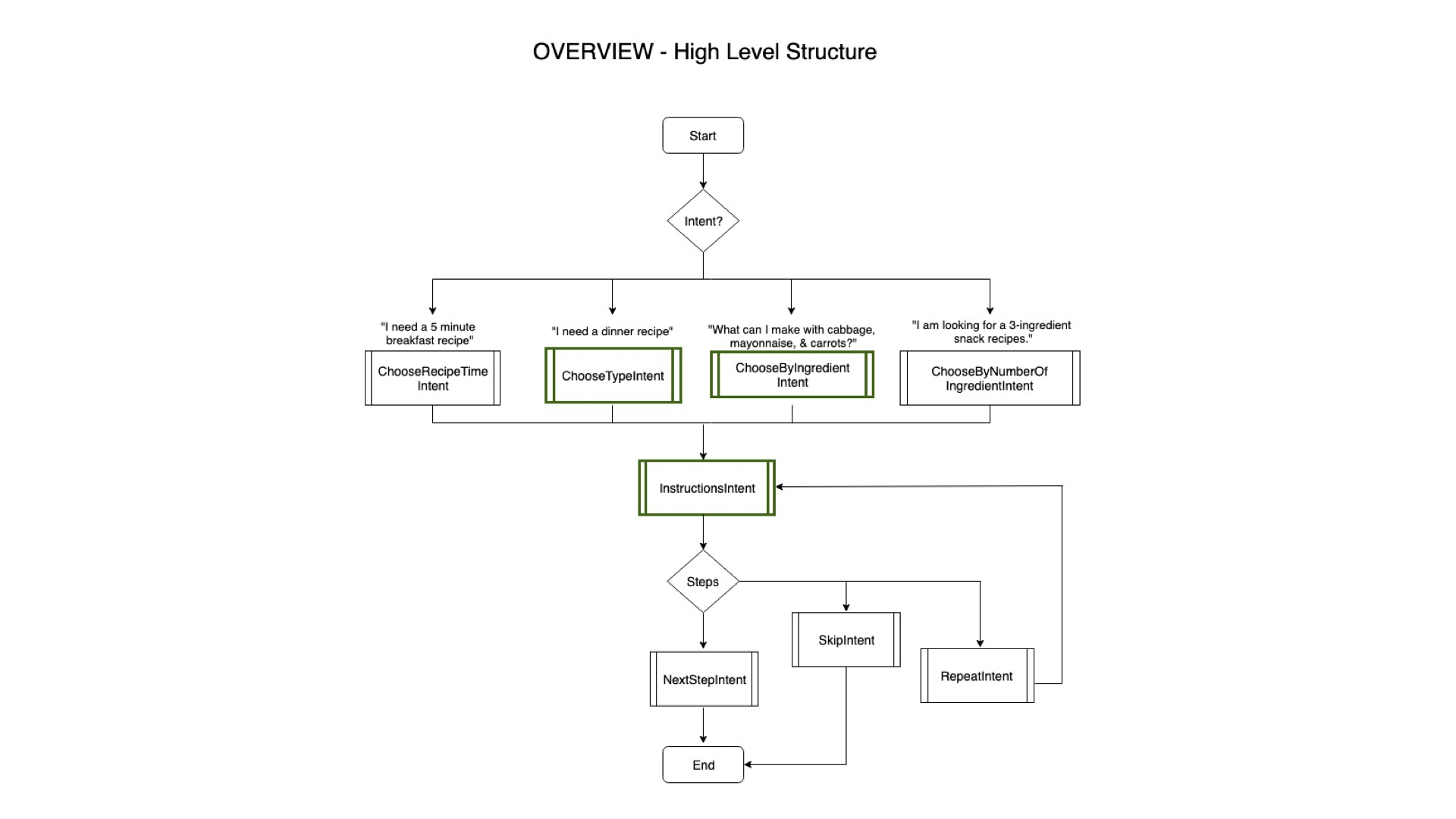
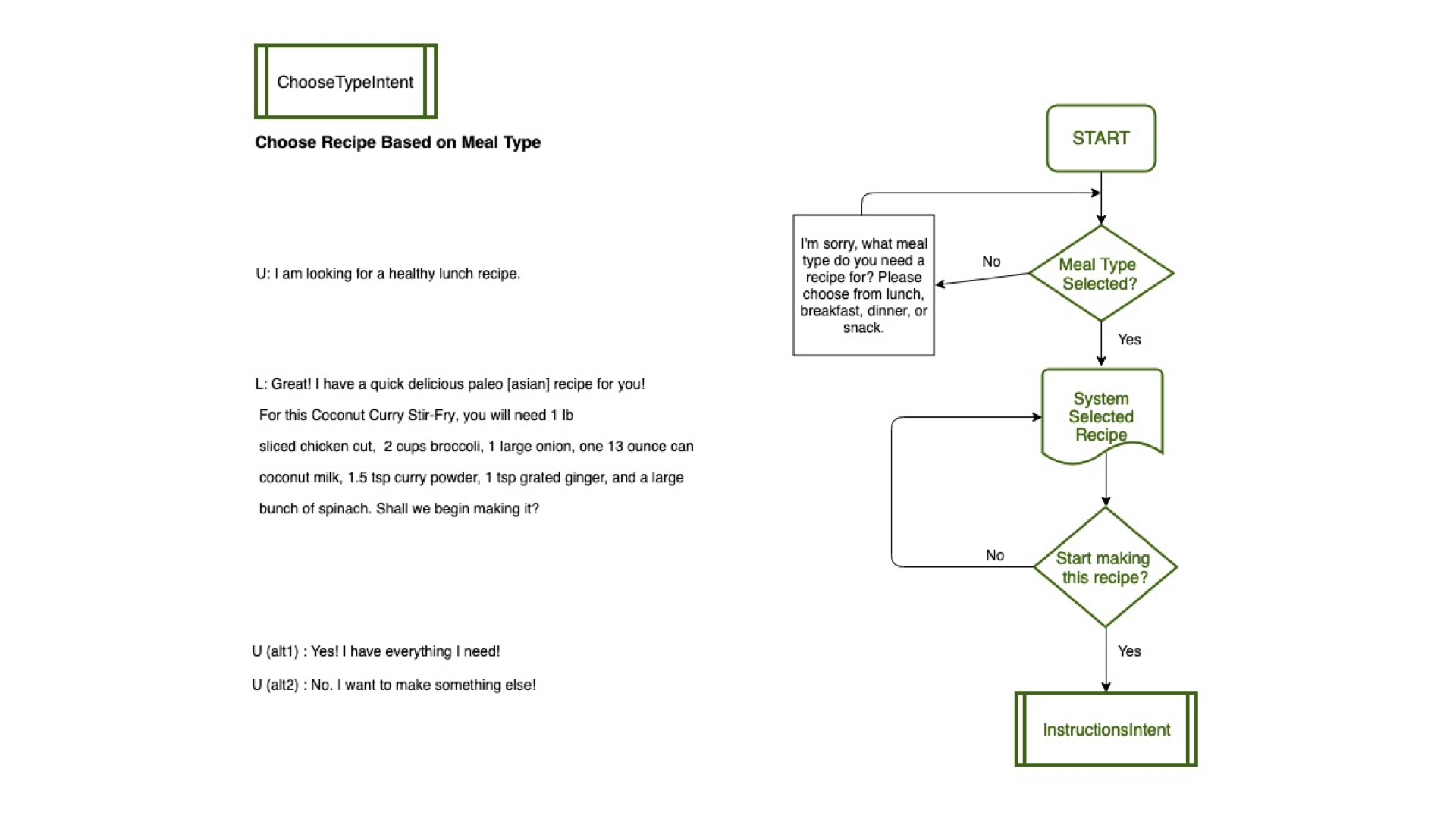
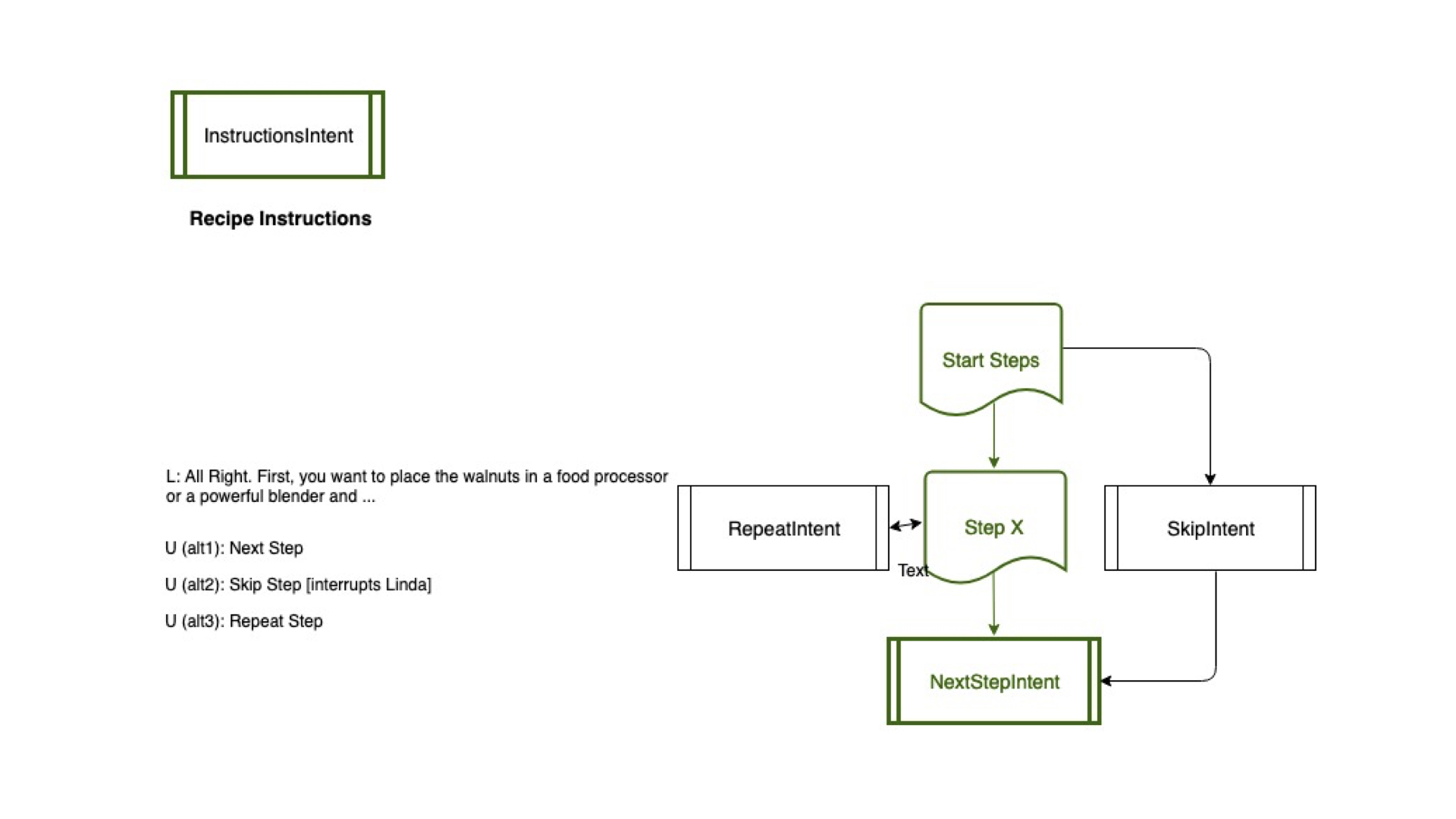
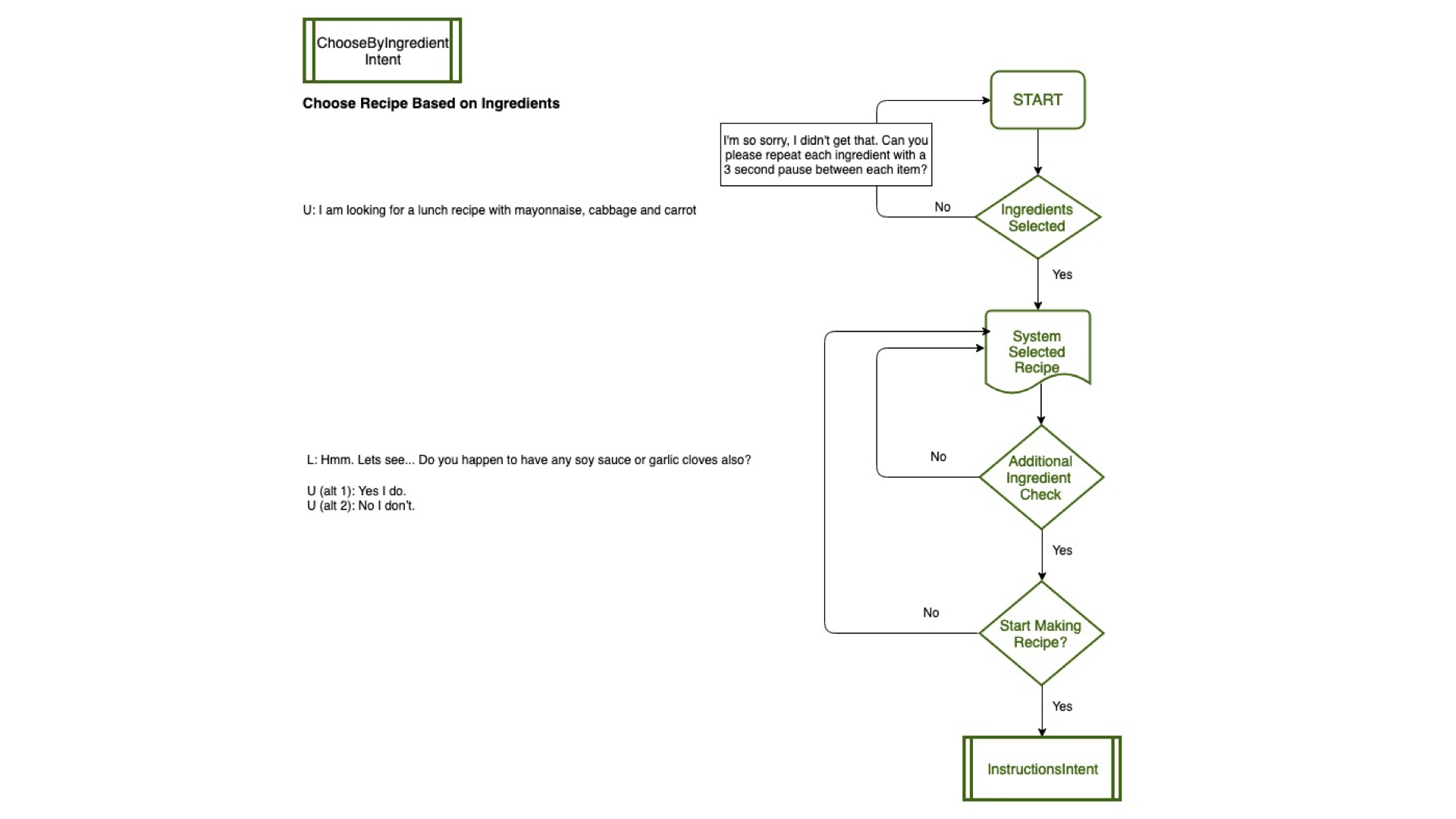
The user flow is a significant piece as it shows the architecture of the voice experience. Creating the user flow allowed me to map out and understand how all my various intents were related and how the system responded to different inputs. Remember, intents are things the skill can do for the user.
Click to enlarge
Click to enlarge
Click to enlarge
Click to enlarge
Voice Scripts
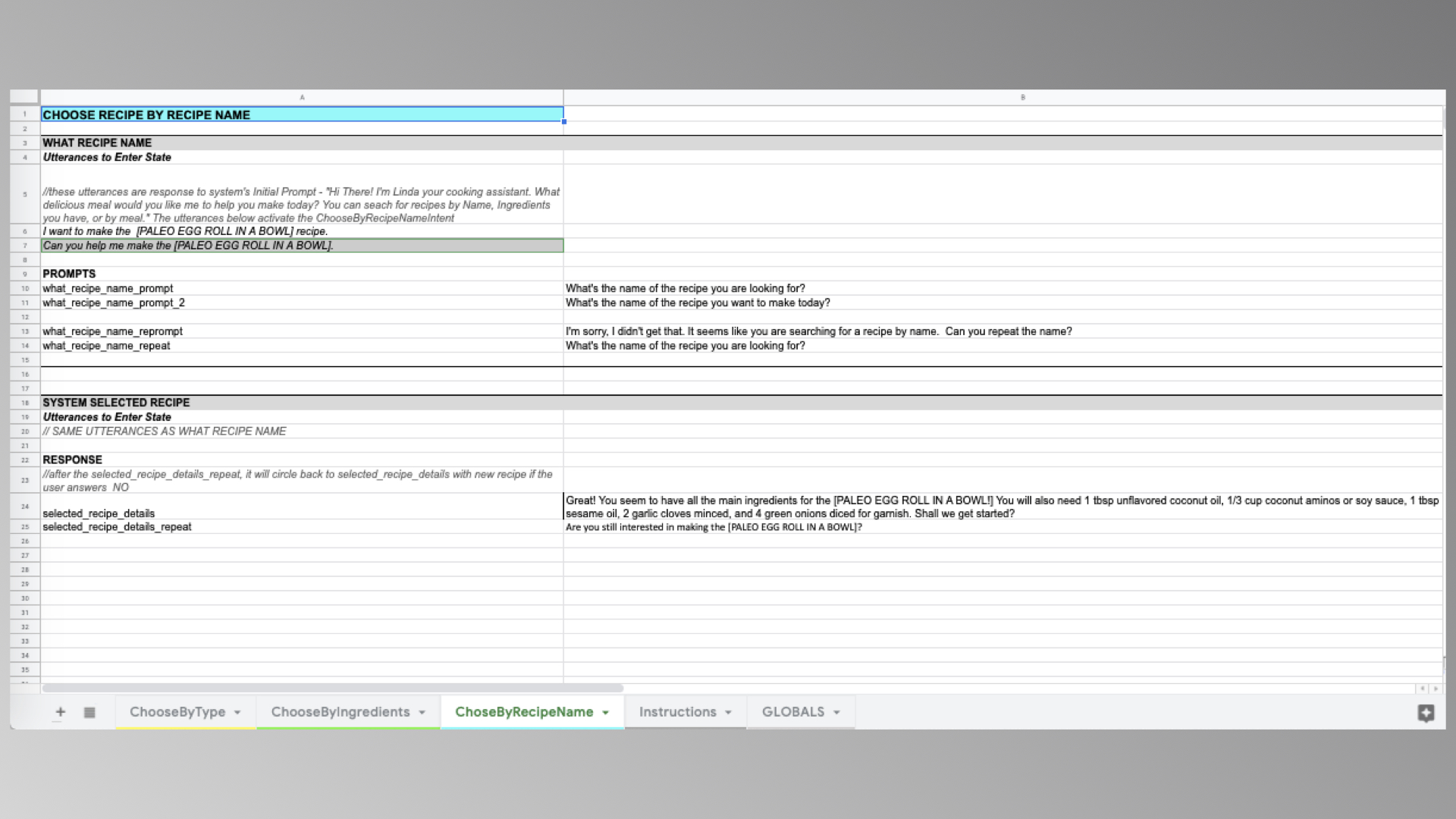
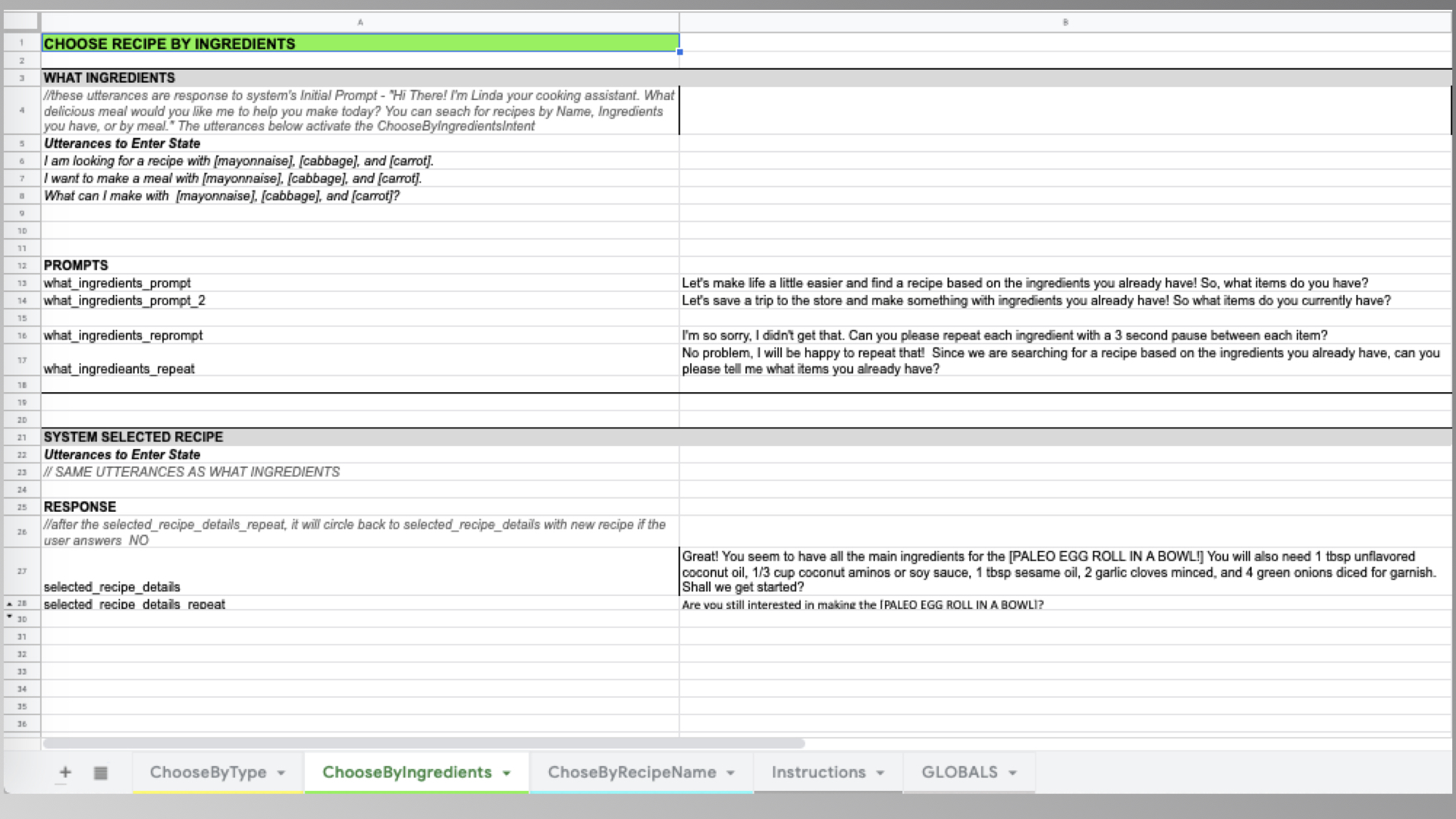
The script is a list of all the prompts and responses for the voice UI. My voice script accounted for the happy path dialog as well as when the user encountered errors. I used Excel (standard practice) to assign each intent a tab. Utterances, prompts, responses, and error handling dialog was then documented for the appropriate intents.
Click to enlarge
Click to enlarge
Click to enlarge
Click to enlarge
Skill Code - A.S.K. and Lambda
When building out the Alexa Skill, I used the Alexa Skills Kit(Speech Recognition and NLU component) and Lambda (Dialog Management & Response). You can think of A.S.K. as handling all the voice inputs and Lambda as hosting the logic and handling the output. In A.S.K, I created my skill with its intents, slots, and utterances. I then added my javascript logic code to Lamda in order to handle the system output. The last step was configuring my skill in A.S.K. to my code in Lambda.
Usability Test Report
Creating a usability test plan for Cooking with Linda allowed for seamless usability testing with 5 participants. I conducted the testing via the Wizard of Oz method. Participants were asked pre/post-task questions and were also asked to complete the following 3 tasks:
- Preparing a Recipe by Meal Type
- Choosing a Recipe By Ingredient
- Choosing a Recipe By Name
Once I analyzed the results, I ranked the key issues by severity. There were 5 key issues that needed to be fixed:
- Some of the users had difficulty with remembering the name of the skill, so it took a couple of tries for them to be able to open the skill. HIGH SEVERITY
- One of the users brought up a valid point! Some of the recipes have optional ingredients which are currently categorized with the essential ingredients. So when Linda asks the user if they have everything and the user only has the essential ingredients, that needs to be distinguished. HIGH SEVERITY
- Users mentioned that the instructions should have smaller chunks so there’s enough time to complete the task and say Next before Alexa times out. HIGH SEVERITY
- Some of the users are visual learners so a common request was to have the recipe sent to the phone in case they want to jump to different parts of the recipe. MEDIUM SEVERITY
- If there’s a favorites option and you want to hear the recipe before you go to the grocery store, it would be useful for the skill to add the ingredients to your shopping list. LOW SEVERITY
These high and medium priority issues will be resolved in the next iteration of this skill.
LESSONS LEARNED
An important lesson I learned from this project is that regardless of what interface you are designing for (ie. mobile, voice, desktop, car), user research and usability testing is crucial to creating a meaningful experience for users. Even though we were designing an Alexa skill, I still included user research and usability testing to really give me insight into how to improve my skill.